Canva vs Adobe Creative Cloud for Small Business 2026: Which One's Actually Worth It?
TL;DR: Canva wins on accessibility, speed, and price — it's the go-to for small businesses without a dedicated designer. Adobe Creative Cloud is the professional powerhouse, but its complexity and cost are hard to justify unless you need pixel-perfect output or have design-trained staff. For most small businesses in 2026, Canva hits the sweet spot; for studios and agencies, Adobe's the standard.
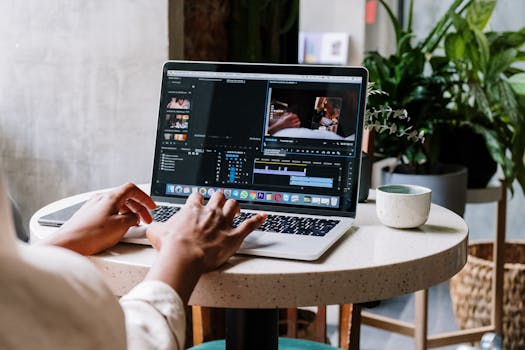 Photo by cottonbro studio on Pexels
Introduction: Stop Agonizing Over This Decision
Here's the deal — if you're a small business owner searching "Canva vs Adobe," there's a 90% chance you've already found your answer and just need someone to confirm it. But let's walk through it anyway, because that 10% of cases where Adobe makes sense are genuinely different situations.
So you're running a small business and need to look good — social posts, pitch decks, product images, maybe a quick logo refresh. The two names that always pop up are Canva and Adobe Creative Cloud. They're both design platforms, but comparing them is almost like comparing a food processor to a professional kitchen. Both make food. But the experience and outcome? Very different.
Canva has grown aggressively since its early days as a "pretty template maker." By 2026, it's a full-stack visual communication platform with AI-powered design tools, brand management, print-on-demand, and team collaboration baked in. Adobe Creative Cloud is still the industry standard — Photoshop, Illustrator, Premiere Pro, InDesign, and 20+ other apps wrapped in a subscription that creative professionals have been debating on Reddit since 2013. (Honestly, the Adobe pricing discourse never gets old. It's practically its own Reddit genre at this point.)
This comparison is specifically for small business owners, solo operators, and lean marketing teams — people who need real results without a six-month learning curve or a $600/year line item that mostly goes unused. Let's dig in.
 Photo by Anna Shvets on Pexels
Quick Comparison Table
| Feature | Canva | Adobe Creative Cloud |
|---|---|---|
| Starting Price | Free / $15/mo (Pro) | ~$60/mo (All Apps) |
| Free Plan | Yes (feature-limited) | No (7-day trial only) |
| Ease of Use | ⭐⭐⭐⭐⭐ | ⭐⭐⭐ |
| Design Quality Ceiling | High (template-bound) | Unlimited |
| AI Design Tools | Yes (Magic Studio) | Yes (Firefly) |
| Collaboration | Real-time, native | Limited (requires extra setup) |
| Mobile App | Excellent | Varies by app |
| Brand Kit | Yes (Pro+) | Partial (via Libraries) |
| Print Services | Built-in | No |
| Video Editing | Basic–Intermediate | Professional (Premiere Pro) |
| Learning Curve | Low | High |
| Best For | SMBs, non-designers | Studios, agencies, professionals |
| Our Rating | 4.6/5 | 4.4/5 (for SMBs) |
8-chapter comprehensive budgeting guide with 3 interactive calculators. Stop living paycheck to paycheck.
Canva: The One Most of You Should Probably Just Use
Canva started in 2013 as an antidote to the Adobe learning curve, and by 2026 it's become considerably more ambitious. It's not just a drag-and-drop template tool anymore. The platform now includes Magic Studio — Canva's AI suite — which handles everything from background removal and image generation to auto-resizing content across formats and AI-generated copy suggestions. For a small business, that's a remarkable amount of firepower in one browser tab. When I tested the latest Magic Expand feature, which extends images beyond their original boundaries, the results were genuinely impressive — way better than I expected them to be.
What You Actually Get
- Magic Studio AI tools: Text-to-image generation, Magic Resize, Magic Eraser, Magic Expand, AI-assisted copywriting
- Brand Kit: Upload your fonts, color palettes, and logos — Canva enforces them across all templates
- Content Planner: Schedule directly to social media platforms without leaving the app
- Canva Print: Order physical materials (business cards, banners, merch) directly through the platform
- Whiteboard & Presentations: Full Canva Docs and presentation mode, including talking-head video presentations
- Team Collaboration: Real-time multi-user editing, commenting, approval workflows
- Template Library: 250,000+ professionally designed templates across every format imaginable
Pricing
| Plan | Price | Key Limits |
|---|---|---|
| Free | $0 | 5GB storage, limited templates, basic AI |
| Pro | ~$15/mo (1 user) | 1TB storage, full AI suite, Brand Kit |
| Teams | ~$10/user/mo (min 3) | Everything in Pro + admin controls |
| Enterprise | Custom | SSO, advanced compliance, dedicated support |
Who Canva Is Actually For
Non-designers who need polished output fast. Marketing managers, Etsy sellers, consultants building pitch decks, restaurant owners making menus — basically anyone who doesn't have time to learn layers and bezier curves but still needs things to look professional. If that describes you, honestly, just go sign up for the free plan and start playing around.
Adobe Creative Cloud: The Professional's Professional
Adobe Creative Cloud is the entire professional design ecosystem bundled into a subscription. We're talking Photoshop, Illustrator, InDesign, Premiere Pro, After Effects, Lightroom, Acrobat, and around 20 additional apps. It's what every design school teaches, what every agency uses, and what creative professionals build their entire careers around.
By 2026, Adobe has woven its Firefly AI deeply across the suite — generative fill in Photoshop, vector generation in Illustrator, AI-assisted audio cleanup in Premiere. These aren't just flashy additions; they're genuinely workflow-accelerating tools once you already know how to use the underlying software. And that's the catch — the AI tools don't replace the learning curve. They just make the climb more productive once you're already partway up.
What You Actually Get
- Photoshop: Industry-standard raster editing, now with Generative Fill and AI object removal
- Illustrator: Vector design for logos, icons, and print — no quality ceiling
- InDesign: Professional print layout for magazines, books, multi-page documents
- Premiere Pro: Full-featured video editing with AI-powered speech enhancement, auto-captions, scene detection
- After Effects: Motion graphics and visual effects
- Adobe Express: Adobe's answer to Canva (lightweight, template-based — included in CC)
- Creative Cloud Libraries: Shared assets across apps and teams
- Adobe Fonts: Access to thousands of licensed typefaces
Pricing
| Plan | Price | Includes |
|---|---|---|
| Single App | ~$25–35/mo | One app (e.g., Photoshop only) |
| All Apps | ~$60/mo | Full Creative Cloud suite |
| Business (All Apps) | ~$85/user/mo | Teams features, admin console |
| Students/Teachers | ~$25/mo | Full suite at steep discount |
(Pricing as of early 2026 — Adobe has raised prices several times in the past five years, so check their site directly before you commit.)
Who Adobe CC Is Actually For
Designers, photographers, video producers, agencies, and any small business that employs a trained creative professional. One thing to know: if you're a freelancer who already knows Photoshop or Premiere, the question isn't whether to use CC — it's whether the single-app plan makes more sense than the full bundle. Spoiler alert: it often does.
Feature-by-Feature Breakdown
User Interface & Ease of Use
Canva's UI is genuinely impressive from a UX standpoint. It's a browser-based drag-and-drop system built around discoverability — you don't need to know what you want before you start, because the template library does a lot of the heavy lifting. A first-time user can produce a usable Instagram post in under five minutes. That's not hyperbole; multiple onboarding studies have shown exactly that.
Adobe's apps, on the other hand, were built by and for professionals. Photoshop's workspace has 200+ menu items and tool modifiers, and it assumes you're going to spend weeks — realistically, months — learning it. The payoff is total control. The cost? Time, and for a small business owner also doing sales calls and bookkeeping, that's often too steep a price.
Winner: Canva — by a wide margin for non-designers.
Core Design Capabilities
Here's where it gets nuanced. Canva's output is excellent within its template framework, but you can't do parametric vector work, professional color separations for commercial printing, or multi-layer compositing the way you can in Illustrator or Photoshop. For roughly 80% of small business design needs, that doesn't matter at all. For the remaining 20% — packaging design, complex photo retouching, broadcast-quality video — it matters enormously.
Adobe's depth is simply unmatched. Need to do something with pixels, vectors, or video frames at a professional level? There's a CC app built specifically for it.
Winner: Adobe CC for raw capability; Canva for everyday SMB use cases.
Integrations
Canva integrates with Slack, HubSpot, Mailchimp, Google Drive, Dropbox, Shopify, and social platforms including Instagram, Facebook, LinkedIn, Pinterest, and TikTok. Its API and app marketplace have expanded significantly, and for a marketing-focused small business, the native social scheduling alone can save meaningful hours per week.
Adobe CC integrates deeply with its own ecosystem (Behance, Adobe Stock, Adobe Fonts) and has solid connectivity to tools like Microsoft Teams, Slack, and Frame.io (which Adobe owns). It's stronger in creative production workflows than in marketing distribution pipelines.
Winner: Canva for marketing integrations; Adobe CC for creative production workflows.
Pricing & Value — Let's Do the Math
Canva Pro at $15/month versus Adobe Creative Cloud All Apps at ~$60/month isn't even close for a solo operator or small team. If you swap Canva Pro for Adobe's full suite, you're paying 4x more and getting a pile of apps you'll probably never open.
But here's the flip side: if you have a designer on staff who uses Photoshop and Premiere daily, Adobe's all-apps plan is actually reasonable. You're getting 20+ professional tools for $60/month. The single-app plans (~$25–35/mo) are worth a hard look if you only need one CC app.
Canva's free plan is genuinely useful, not just a demo designed to frustrate you into upgrading. You can run a real business on it, though the Pro plan's AI tools and Brand Kit become worth the $15 pretty quickly once you see what they can do.
Winner: Canva for small businesses watching their budget. Adobe's value equation only really clicks when you have a dedicated designer using the tools daily.
Customer Support
Canva offers 24/7 support for Pro and Teams subscribers via live chat and email. Their help documentation is thorough and their community forum is active. Enterprise customers get priority support and a dedicated success manager.
Adobe's support is... well, it's a well-documented pain point in the creative community. Phone and chat support exists, but wait times can be brutal and the quality is inconsistent. Their community forums (Adobe Support Community) are where most real solutions actually come from — which means you're often relying on other users' generosity, not Adobe staff. I've seen professional designers budget an extra hour whenever they need to contact Adobe support. That tells you everything.
Winner: Canva — and it's not even close.
Mobile Experience
Canva's mobile app is genuinely excellent — not a stripped-down companion app, but a near-full-featured version of the web platform that works well on both iOS and Android. You can design, resize, publish, and collaborate from your phone without constantly wishing you were at a desktop.
Adobe's mobile situation is more fragmented. Photoshop for iPad is solid. Lightroom Mobile is arguably better than the desktop version for quick photo editing. But there's no unified "Adobe mobile experience" — you're juggling multiple apps, and some (like Premiere) don't have fully functional mobile versions.
Winner: Canva for a unified mobile experience.
Security & Compliance
Canva Enterprise offers SOC 2 Type II compliance, SSO via SAML 2.0, advanced admin controls, and audit logs. For a small business, the Teams plan covers basic access controls and permissions management.
Adobe Creative Cloud Business plans include SSO, centralized license management, and compliance features required by larger organizations. Adobe's security infrastructure is mature — they've been managing enterprise customer data for decades.
Both platforms are solid here. For SMBs without strict compliance requirements, both Pro/Teams tiers are sufficient.
Winner: Tie (with Adobe having an edge at true enterprise scale).
 Photo by RDNE Stock project on Pexels
Pros and Cons
Canva
| Pros | Cons |
|---|---|
| Extremely low learning curve | Template-bound — originality has limits |
| Generous free plan | Not ideal for complex print production |
| Excellent AI tools (Magic Studio) | Video editing is basic versus Premiere |
| Built-in social scheduling | Brand Kit only on Pro and above |
| Real-time collaboration | Less control over typography fine-tuning |
| Print-on-demand built in | Export formats more limited than Adobe |
| Strong mobile app | Offline mode is limited |
Adobe Creative Cloud
| Pros | Cons |
|---|---|
| Unmatched professional capability | Steep, time-intensive learning curve |
| Industry-standard file formats | Expensive, especially for solo users |
| Firefly AI integrated across apps | Mobile experience is fragmented |
| Massive asset ecosystem (Fonts, Stock) | Customer support can be genuinely painful |
| Photoshop/Illustrator are irreplaceable | No built-in social publishing |
| Professional video and motion tools | Overkill for most SMB needs |
| Strong print production workflow | No free plan — trial only |
Who Should Use Canva?
Pick Canva if your business looks like any of these:
- You're the designer and the CEO — You don't have hours to invest in learning software; you need something done in 20 minutes before your next call.
- Your output is primarily digital — Social media graphics, email headers, presentations, digital ads, PDFs. This is Canva's absolute sweet spot.
- You have a small marketing team — The Brand Kit and collaboration features mean everyone stays on-brand without creating a design review bottleneck.
- You use print-on-demand — Canva's direct print ordering is genuinely convenient for business cards, flyers, and basic marketing materials.
- Budget is a real constraint — $15/month (or even free) is a very different commitment than $60+/month.
- You're running a content-heavy social media presence — The integrated Content Planner and one-click resize tools for different platforms can easily save 3–5 hours a week.
Who Should Use Adobe Creative Cloud?
Adobe CC makes sense when:
- You have a trained designer on staff — If they already know the tools, the learning curve cost is already paid. Don't make them work in Canva. They'll honestly resent you for it.
- You do serious photography or videography — Lightroom plus Photoshop for photo businesses, Premiere plus After Effects for video production — there's simply no equivalent in Canva.
- Professional print production is part of your work — Packaging, magazine layouts, large-format printing — InDesign and Illustrator are non-negotiable here.
- You're building a design or creative agency — Client deliverables need to be in industry-standard formats (AI, PSD, INDD) that other agencies and commercial printers expect.
- You need vector work at scale — Logos, icons, and illustrations done in Illustrator are infinitely scalable and editable in ways Canva's vector tools genuinely can't match.
- You're already deep in the Adobe ecosystem — If you're using Acrobat Pro and Adobe Sign daily, the full CC plan might already make financial sense when you add it up.
The Verdict
For most small businesses in 2026, Canva is the stronger choice — and it's really not a close call. It's faster to learn, significantly cheaper, more collaborative out-of-the-box, and more than capable for the design tasks that actually come up in day-to-day operations. The AI tools in Magic Studio have genuinely closed the quality gap with professionally designed content in ways that would have seemed ambitious just two years ago. Start with the free plan; upgrade to Pro when the Brand Kit and AI features start calling your name.
Adobe Creative Cloud earns its reputation, but that reputation was built for a different user than the average small business owner. If you don't have a designer on your team — or you're not willing to invest serious time learning the tools yourself — you'll pay premium pricing for apps that mostly sit idle.
And here's my hot take: Adobe Creative Cloud is genuinely overrated as a small business tool, and I think a lot of people subscribe to it because it sounds more professional, not because they actually need it. The only people who should feel genuinely conflicted here are designers who run their own small businesses and already live inside Adobe's apps. For everyone else, Canva is the practical answer. Stop overthinking it.
👉 Try Canva free here: Try Canva Pro 👉 Explore Adobe Creative Cloud plans: Adobe Creative Cloud
Looking for alternatives? Try Figma and Affinity are worth considering if you fall somewhere between these two options.
FAQ
Is Canva good enough for professional-looking design?
Yes — for most small business contexts. Social graphics, presentations, proposals, marketing materials, and even basic brand identity work can all look genuinely professional in Canva, especially with the Pro plan's full template and AI library. Where it starts to show its limits is in complex print production, detailed photo retouching, and high-end illustration. Fun fact: a lot of the "professionally designed" social content you see from small brands these days was made in Canva. You genuinely cannot tell.
Can I use Adobe Creative Cloud if I'm not a designer?
Technically yes, but you're going to have a rough time. The learning curve on Photoshop and Illustrator alone is measured in months, not days — and that's if you're actively practicing. Adobe does include Adobe Express (their lightweight, Canva-like tool) with Creative Cloud subscriptions, which is more accessible. But here's the thing: if Express meets your needs, you might as well just use Canva and save yourself $45/month.
Does Canva work offline?
Partially — and this is a real limitation worth knowing about upfront. Canva has a limited offline mode, but it's a browser-based platform at heart, so a reliable internet connection is basically assumed. Adobe's apps are installed locally and work fully offline, which matters if you travel frequently or work in areas with spotty connectivity.
Which is better for video editing — Canva or Adobe?
Adobe, without question. Premiere Pro is professional-grade video editing software, full stop. Canva's video tools are fine for simple social clips, adding text overlays, trimming footage, and basic transitions — but anything beyond that hits a ceiling pretty quick. If video is a core part of your content strategy and you're producing anything longer or more complex than a 30-second Instagram Reel, Adobe wins this category decisively.
Can I use both Canva and Adobe Creative Cloud together?
Absolutely, and some small businesses do exactly this. A common setup: use Canva for day-to-day marketing content and social graphics, use a single Adobe CC app (like Photoshop at ~$25–35/mo) for photo retouching and specialized work. That hybrid approach often lands around $40–50/month total — cheaper than the full Adobe All Apps bundle and more capable than Canva alone. Worth considering if you're on the fence.
Is Adobe Creative Cloud getting more expensive?
Yes, and it's been a pattern. Adobe has raised Creative Cloud prices multiple times over the past several years — we're talking at least three notable price increases since 2020. As of early 2026, the All Apps plan runs approximately $60/month for individuals and ~$85/user/month for business plans. Check Adobe's site directly for current pricing, and look for promotional rates — Adobe frequently discounts for new subscribers, sometimes by 20–30% in the first year.