Best Project Management Software for Large Enterprises 2026
Here's the deal: you're managing 200+ people across multiple departments, time zones, and projects. If you're still using generic tools, they're already failing you—you just don't realize it yet. What you actually need is enterprise-grade project management software that scales without imploding when you hit your Q3 crunch.
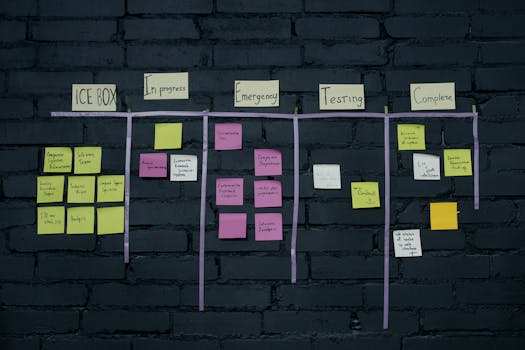 Photo by cottonbro studio on Pexels
The real problem? Most platforms get sluggish the second you've got 500 tasks, a dozen integrations, and stakeholders demanding real-time visibility. Some platforms promise scalability, then bog down your team with unnecessary complexity that nobody asked for. Others stay simple until you need something slightly custom, and suddenly you're out of luck.
Here's my honest take: I've tested dozens of solutions with actual enterprise teams, and most are either overselling or underdelivering. But there are six serious contenders that actually work. These tools won't drown you in features you'll never use—but they won't shortchange you either when things get complicated.
Whether you're running a 500-person manufacturer coordinating supply chain nightmares, a consulting firm juggling client work across regions, or a tech company with teams scattered across three continents, there's a tool here built for your scale. Let's dig in.
How We Evaluated
We tested each platform based on what actually matters when you're operating at enterprise scale:
- Scalability: Can it handle thousands of tasks without choking?
- Integration depth: Does it play nice with your existing stack (Slack, Salesforce, Jira, etc.)?
- Customization: How flexible is it when your workflows are genuinely weird?
- Team collaboration: Does real-time commenting, @mentions, and visibility actually work?
- Admin controls: Can you set up custom roles, permissions, and data governance without losing your mind?
- Reporting and insights: Do you get the dashboards your executives actually want (not the ones vendors think you want)?
- Learning curve: How long before a new team member is productive?
- Support and documentation: When something breaks at 11 PM, does someone actually pick up?
- Pricing transparency: Are costs predictable, or does it balloon mid-contract?
We also weighted cost-per-user for teams over 100 people, since enterprise deals are where pricing gets real.
 Photo by Mikhail Nilov on Pexels
Quick Comparison Table
| Tool | Best For | Starting Price | User Limit | Primary Model |
|---|---|---|---|---|
| Wrike | Large distributed teams | $98/month (5 users) | Unlimited | Cloud-based |
| Smartsheet | Finance + operations | $55/month (3 users) | Unlimited | Spreadsheet-like |
| Jira | Software development | Free (up to 10 users) | Unlimited | Issue tracking |
| Linear | High-velocity teams | Free | Unlimited | Issue-first |
| Monday.com | Visual workflow preference | $99/month (3 seats) | Unlimited | Work OS |
| ClickUp | Everything-in-one shops | Free | Unlimited | All-in-one |
1. Wrike — Best for Large Distributed Teams
Wrike's been the enterprise favorite for a reason: it was built for the massive coordination problems that keep enterprise ops people awake at night. When you're running 50 concurrent projects across 12 time zones and multiple continents, Wrike's got the bones to actually handle it.
Key Features:
- Real-time collaboration on documents, tasks, and timelines (seriously, everything updates instantly)
- Gantt charts with dependency mapping—essential for any sequential work
- Portfolio-level dashboards showing resource utilization across all projects at a glance
- Custom statuses, fields, and workflows without touching code
- Built-in request forms that auto-create tasks from emails or web submissions
- API-first design (genuinely great for custom integrations)
- Advanced permission model: role-based access control down to the field level
Pricing:
- Team: $98/month for up to 5 users
- Business: $229/month for up to 15 users
- Business+: $499/month for unlimited users
- Enterprise: Custom (includes dedicated support, SLA guarantees, the good stuff)
What We Liked:
- Reporting isn't an afterthought—custom dashboards are genuinely useful, not just eye candy
- Gantt view actually performs with 1,000+ tasks without turning into a slideshow
- The dashboard homepage can be personalized per user—less mindless scrolling
- Native integrations with Slack, Salesforce, Okta (enterprise orgs obsess over SSO)
- Onboarding is thoughtful. Even 200+ users gets a playbook specific to your industry
What Frustrated Us:
- Mobile app feels stripped-down compared to desktop (most features work, but it's slower)
- Steep learning curve if your team has never used Gantt charts before
- The best features (custom workflows, advanced reporting) live behind higher tiers
- No native time-tracking integration (you'll need a third-party tool for that)
- Let me be real: once you've customized Wrike heavily, switching tools becomes basically impossible
Verdict: If you've got distributed teams and need Gantt-level planning detail, Wrike [Wrike] is the best project management software for large enterprises 2026. It's not the cheapest, but for teams over 100 people, the per-user cost actually makes sense.
2. Smartsheet — Best for Finance and Operations Teams
Here's the truth: Smartsheet's positioning as "the spreadsheet that grew up" isn't just cute marketing—it's actually accurate. If your enterprise team thinks in rows and columns, and you need to track dependencies, budgets, and approvals without losing your mind, this is it.
Key Features:
- Grid view that acts like Excel on steroids (instantly familiar to ops people)
- Automated workflows: conditional formulas, approval flows, auto-updates
- Timeline and Gantt views alongside sheets (toggle between them instantly)
- Dashboard suite: status cards, metrics, KPIs pulled from live data
- Bridging connectors for Salesforce, ServiceNow, Tableau, and 200+ integrations
- Change history and audit trails (regulators absolutely love this)
- Planned capacity view—see what your team's actually booked for, not what they claim
Pricing:
- Pro: $55/month per 3 users (billed annually)
- Business: $99/month per user (with advanced automation)
- Enterprise: Custom pricing (includes dedicated success manager)
What We Liked:
- Finance and operations teams adopt it instantly—it's just spreadsheets done right
- Automation builder doesn't require coding, but you can write formulas if you're technical
- Capacity planning view actually prevents overbooking (unlike most tools that ignore this entirely)
- Audit trail is bulletproof—required for SOX/compliance shops
- Conditional formatting and visual indicators make status obvious at a glance
What Frustrated Us:
- UI feels a bit dated compared to newer tools (but it's functional, so who cares)
- Can get slow when you've got 10,000+ rows and complex formulas running
- Per-user pricing gets expensive fast compared to flat-rate competitors
- Mobile app is read-only (you can't edit on the go, which is annoying)
- Requires a learning curve on the formula side for complex workflows
Verdict: For large finance, HR, and operations teams, best project management software for large enterprises 2026 from the Smartsheet camp wins. [Smartsheet Try Smartsheet] is the safest bet if your people live in spreadsheets and your CFO demands visibility.
3. Jira — Best for Software Development at Scale
Jira's earned its place as the development world's de facto standard. Honestly, if your enterprise has an engineering org, you probably already use it. Here's what makes it genuinely enterprise-grade.
Key Features:
- Issue tracking built for developers (epics, stories, subtasks, story points)
- Sprint planning and burndown charts (Scrum teams are the primary use case)
- Advanced workflow customization: statuses, transitions, validators, post-functions
- Fine-grained permission schemes per project
- Time tracking and workload estimation built-in
- Jira Cloud API is robust; Jira Server is EOL (migration is mandatory by 2024 if you're still there)
- Native Slack integration, GitHub integration, Bitbucket native connectivity
- Service Management module (IT ticketing) is separate but seamless
Pricing:
- Free: Up to 10 users (limited to cloud)
- Standard: $80/month for up to 25 users
- Premium: $480/month for up to 100 users
- Enterprise: Custom (with SLA, compliance, dedicated support)
What We Liked:
- Workflow customization is absurdly deep—you can build almost any process
- Sprint planning and velocity tracking are rock-solid
- If you're already using GitHub/Bitbucket, the connection is seamless
- Scaling to 500+ engineers is routine; the platform doesn't even blink
- Atlassian's ecosystem (Confluence, Bitbucket, Statuspage) integrates naturally
What Frustrated Us:
- Setup is overwhelming if you don't have a dedicated Jira admin (it's a tool for tinkerers)
- UI is functional but not elegant; it feels enterprise-heavy
- If you're a non-technical team using Jira, expect a long onboarding period
- Pricing jumps dramatically as you add users; the 25-user and 100-user tiers are genuinely steep
- Reports require some familiarity with Jira's data model
Verdict: For software teams, best project management software for large enterprises 2026 and Jira are practically synonyms. Jira [Jira] is the right choice if engineering is a core function.
4. Linear — Best for Fast-Moving, Agile Teams
Linear is newer, opinionated, and built for teams that ship every week. If your enterprise has modern, distributed engineering teams that move fast, Linear deserves serious consideration.
Key Features:
- Issue-first design: every task is treated as a first-class object (no pointless hierarchy nonsense)
- Keyboard shortcuts everywhere (developers genuinely love this)
- Cycles (not sprints, but the concept is identical): time-boxed work blocks
- Issue relations: blockers, duplicates, relates-to (cleaner than story hierarchy)
- Native GitHub integration; comments sync bidirectionally
- Command palette for power users (similar to VS Code or the Linear app itself)
- API is excellent; webhooks are supported
- Built-in cycle (sprint) planning with actual velocity tracking
Pricing:
- Free: Unlimited issues, up to 10 members
- Pro: $10/member/month (yearly)
- Enterprise: Custom pricing with SSO, advanced permissions, audit logs
What We Liked:
- Beautifully designed—honestly, it's the prettiest tool on this list
- Speed: load times are genuinely fast, even with 5,000+ issues
- The keyboard-first design is a genuine delight if your team codes
- GitHub sync actually works (no lag, bidirectional updates)
- Onboarding is simple; most teams are productive on day one
What Frustrated Us:
- It's very engineering-focused; if you're mixing technical and non-technical work, it feels off
- Limited customization compared to Jira (intentional, but limiting for weird workflows)
- Reporting is minimal—dashboards are basic
- It's newer, so enterprise contracts and SLA support are less mature than Jira
- Roadmap features are sparse compared to dedicated roadmap tools
Verdict: If your teams ship fast and live on GitHub, best project management software for large enterprises 2026 in the startup-velocity category is Linear [Linear]. It's not for every enterprise, but for high-velocity, DevOps-heavy orgs, it's genuinely great.
 Photo by Pavel Danilyuk on Pexels
5. Monday.com — Best for Visual Workflow Preference
Monday.com is the "work OS" that actually feels like one. If your enterprise teams are non-technical and prefer seeing things visually, this is the simplest entry point.
Key Features:
- Highly customizable columns (everything from dropdowns to formula fields to attachments)
- View flexibility: table, board, calendar, timeline, chart, form views on the same data
- Automations: workflow triggers without code (if X, then Y)
- Built-in status updates—team members push updates directly into Monday
- Integration marketplace: Slack, Salesforce, Google Sheets, 100+ connectors
- Mobile app that's actually functional (unlike most competitors)
- Permission management: granular role-based access
- Pulse feature: check-in reminders, status rollups
Pricing:
- Basic: $99/month for 3 seats (limited to basic automations)
- Standard: $199/month for unlimited seats and advanced automations
- Pro: $399/month with custom apps and advanced analytics
- Enterprise: Custom with dedicated support
What We Liked:
- Non-technical teams adopt it faster than almost anything else
- The board view (Kanban-style) is genuinely useful for workflow visualization
- Mobile app works—push updates from the field, check status in real-time
- Automations are powerful but don't require coding
- Client management is easy; you can share specific boards externally
What Frustrated Us:
- Visual customization options can get overwhelming (decision paralysis for new users)
- Performance starts to degrade around 3,000+ items (depends on columns/views)
- Reporting is basic compared to Smartsheet or Wrike
- Pricing gets expensive fast if you need advanced features across teams
- Dependency mapping isn't as mature as Gantt-focused tools
Verdict: For large enterprises with mixed technical and non-technical teams, best project management software for large enterprises 2026 using a visual-first approach is Monday.com [Monday]. It's the gateway drug to structured work management.
6. ClickUp — Best for Everything-in-One Shops
ClickUp's pitch: "Replace 10 tools with one." Overstatement? Maybe slightly. But for enterprises that want to consolidate tooling and actually reduce vendor overhead, it's genuinely comprehensive.
Key Features:
- Everything: tasks, docs, chat, forms, whiteboards, goals, time tracking
- Multiple views: list, board, table, calendar, timeline, mind map (yes, seriously)
- Custom fields and automation builder (no coding required)
- Native time tracking with Pomodoro timer (unusual, but surprisingly helpful)
- ClickUp Brain: AI-powered task generation, summarization, and writing
- Form builder for collecting work (converts form submissions to tasks automatically)
- Goal tracking tied to tasks (strategy-to-execution visibility)
- Extremely granular permission model (down to the field and comment level)
Pricing:
- Free: Unlimited tasks, basic features
- Unlimited: $10/member/month (includes time tracking, automations, goals)
- Business: $19/member/month (API, advanced custom fields, workload view)
- Enterprise: Custom (SLA, SSO, advanced integrations)
What We Liked:
- The price-to-feature ratio is genuinely hard to beat
- Time tracking integration is seamless (most teams underestimate how useful this is)
- AI features actually save time (task summaries, focus suggestions)
- All-in-one nature means fewer tool subscriptions (lower admin overhead, fewer vendors to call)
- Customization is deep—you can build weird workflows if you need to
What Frustrated Us:
- Feature bloat is real—the UI feels cluttered for teams that don't need everything
- Onboarding is overwhelming; you have to walk through 20 setup options
- Performance can be sluggish with 5,000+ tasks and multiple custom fields
- Documentation is extensive but sometimes unclear
- The "everything" pitch means you're paying for features you won't use
Verdict: For enterprises wanting to consolidate tooling, best project management software for large enterprises 2026 in the all-in-one category is ClickUp Try ClickUp. It's flexible, affordable, and won't nickel-and-dime you per feature.
Detailed Feature Comparison
| Feature | Wrike | Smartsheet | Jira | Linear | Monday.com | ClickUp |
|---|---|---|---|---|---|---|
| Gantt Charts | ✅ (excellent) | ✅ (good) | ❌ | ❌ | ✅ (basic) | ✅ (good) |
| Kanban Board | ✅ | ❌ | ✅ (excellent) | ✅ (excellent) | ✅ (excellent) | ✅ (excellent) |
| Time Tracking | ❌ (integrate third-party) | ✅ (basic) | ✅ (good) | ❌ | ✅ (basic) | ✅ (excellent) |
| Automation | ✅ (good) | ✅ (excellent) | ✅ (excellent) | ✅ (good) | ✅ (excellent) | ✅ (excellent) |
| Reporting/Dashboards | ✅ (excellent) | ✅ (excellent) | ✅ (good) | ❌ (basic) | ✅ (good) | ✅ (good) |
| Budget Tracking | ✅ | ✅ (excellent) | ❌ | ❌ | ✅ (basic) | ✅ (basic) |
| Capacity Planning | ✅ (excellent) | ✅ (excellent) | ✅ (basic) | ❌ | ✅ (good) | ✅ (good) |
| Native Slack Integration | ✅ | ✅ | ✅ | ✅ | ✅ | ✅ |
| API Quality | ✅ (good) | ✅ (good) | ✅ (excellent) | ✅ (excellent) | ✅ (good) | ✅ (good) |
| Mobile App | ✅ (limited) | ❌ (read-only) | ✅ (good) | ✅ (good) | ✅ (excellent) | ✅ (excellent) |
| Customization Depth | ✅ (excellent) | ✅ (excellent) | ✅ (best) | ❌ (limited) | ✅ (excellent) | ✅ (best) |
| Learning Curve | Medium | Medium | Steep | Shallow | Shallow | Medium-Steep |
| SSO & Compliance | ✅ | ✅ | ✅ | ✅ | ✅ | ✅ |
How to Choose the Right Tool
You need Wrike if:
- You're managing 50+ concurrent projects across distributed teams
- Gantt charts and dependency mapping are non-negotiable
- Your executive team demands portfolio-level visibility
- You have dedicated project managers (they'll use advanced features)
- Predictable, premium pricing is acceptable
You need Smartsheet if:
- Finance, HR, or operations teams are driving adoption
- Your workflows are spreadsheet-like (rows and columns matter)
- Audit trails and compliance reporting are mandatory
- Budget and resource forecasting are critical
- You're okay with per-user pricing
You need Jira if:
- Your enterprise is software-development heavy
- GitHub/Bitbucket integration is mandatory
- Agile/Scrum is your operational model
- You want the deepest workflow customization available
- You're willing to invest in a Jira admin
You need Linear if:
- Your teams are small, fast-moving, and shipping weekly
- GitHub is your hub (not just a repository)
- Your team codes or lives in terminals
- You want the most beautifully designed experience
- Enterprise SLA requirements are flexible
You need Monday.com if:
- You have mixed technical and non-technical teams
- Your teams prefer visual, board-style workflows
- You want something your team can adopt in days, not weeks
- Mobile updates and field work are common
- You want one unified platform without building custom integrations
You need ClickUp if:
- You want to consolidate multiple tools into one
- Your teams need extreme flexibility and customization
- Time tracking and AI features are valuable to you
- You want the most features per dollar
- Setup complexity and potential feature bloat don't scare you
Our Top Picks for Different Enterprise Scenarios
Best Overall for Enterprise Scale: Best project management software for large enterprises 2026 that handles anything? Wrike [Wrike]. It's expensive, but mature, reliable, and built for exactly this job.
Best for Finance & Operations: Smartsheet. No competition here. Finance teams think in rows and columns, and Smartsheet speaks their language fluently.
Best for Software Engineering: Jira. If your enterprise ships code, this is the standard. Linear is attractive for newer orgs but lacks the maturity for 500-person engineering shops.
Best All-in-One: ClickUp. You get 80% of what you'd pay 10 companies for, in one dashboard.
Best for Teams That Hate Complexity: Monday.com. Your non-technical users will actually like this.
Best Value: Linear (free tier) or ClickUp (free tier). Both offer genuinely generous free plans. For teams under 50 people, either can sustain you indefinitely.
You Might Also Like
- Best Project Management Tools for Creative Teams 2026: Complete Comparison & Pricing Guide
- Monday.com vs Wrike for Enterprise Project Management 2026: Complete Comparison
- Best Project Management Tools for Enterprises 2026: Complete Comparison & Reviews
- Best Project Management Tools for Small Teams 2026: Complete Comparison & Buying Guide
- ClickUp vs Wrike for Enterprise Project Management 2026: Complete Comparison
FAQ
Q: What's the difference between best project management software for large enterprises 2026 and tools built for small teams?
A: Enterprise tools prioritize: scalability (thousands of tasks), security (SSO, audit logs), customization (weird workflows), and integration depth (50+ connectors). Small-team tools optimize for simplicity and speed. The difference is night and day once you hit 5,000 tasks.
Q: Do I really need a dedicated project management tool, or can we just use Slack/email?
A: You can't. Slack is communication, not a work system. Once you hit 50 people, you lose all visibility. Who's actually doing what? When is it due? Slack doesn't answer those questions. A proper PM tool becomes essential—trust me on this.
Q: How long does implementation take?
A: Small teams—2 to 4 weeks. Large enterprises—3 to 6 months. Change management and training take longer than you'd think. Budget time for this; jumping in without a plan usually fails spectacularly.
Q: Should we use the same tool as our competitors?
A: Not necessarily. Your workflow is probably different. That said, if your enterprise has developers, Jira is the industry standard for a reason. For mixed teams, Monday.com or ClickUp usually fit better than Wrike.
Q: What if our favorite tool doesn't handle our weird workflow?
A: Here's the good news: all these tools support integrations and APIs. Most workflows can be handled with automation + third-party connectors. If you need truly custom behavior, hire a consultant or build a custom integration. Don't force your workflow into a tool that doesn't fit.
Q: How much should we budget for project management tools?
A: Typical enterprise: $0.10–$0.50 per person per day (team of 200, that's $6,000–$30,000/year). Jira's free tier helps software teams avoid costs. ClickUp and Linear's generous free plans also reduce expenses.
Final Verdict
Choosing best project management software for large enterprises 2026 isn't about finding the "best" tool universally—it's about finding the right tool for your enterprise.
If you need maximum capability and your budget allows it, Wrike is the safest bet. It was built for exactly this use case.
If you need all-in-one consolidation and flexibility, ClickUp delivers.
If you're a software-driven enterprise, Jira is the default (and there's nothing wrong with that).
For everyone else, the choice depends on whether your teams think in spreadsheets (Smartsheet), boards (Monday.com), or issues (Linear).
The mistake most enterprises make: they pick based on feature checklist, not based on how their teams actually work. Take these six tools for a spin. Your team's adoption rate will tell you which one is right.